Fillout Plaid integration | FintegrationFS
Connect Fillout with Plaid for US onboarding workflows. Get help with bank linking, application matching, secure setup, and clear customer follow-up.
Fillout Plaid integration connects your customer workflow with a permissioned bank-linking journey. FintegrationFS helps US businesses turn the result into a clear application status, useful follow-up, and a reviewable operational record.
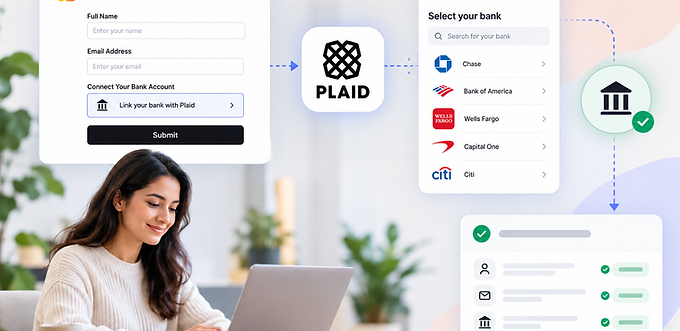
Fillout Plaid Integration for US Businesses
Fillout Plaid integration connects your customer workflow with a permissioned bank-linking journey. FintegrationFS helps US businesses turn the result into a clear application status, useful follow-up, and a reviewable operational record.
A Better Journey for Customers and Staff
A lender collects business details in Fillout, then needs a bank connection linked to the same application. Customers sometimes submit twice or leave before banking is complete.
Use a signed continuation link tied to a stable application reference. Record form completion and bank linking as separate milestones, then give staff a clear pending or review status.
Choose the Right Setup for Fillout
Review Fillout webhooks, redirects, plan permissions, and any existing payment integration. A server-side submission event does not itself open Plaid Link in the customer’s browser.
The implementation begins with the task your customer needs to complete. Select the Plaid products that support that task, confirm institution coverage, and explain the requested access before the customer connects an account.
How Custom Extensions Should Work
Associate the customer journey with a stable internal reference and validate record ownership on the backend. Create the appropriate Plaid Link session through a protected service, then use server-confirmed outcomes to update the business workflow.
Keep access tokens out of form answers, CRM notes, browser storage, and analytics. Return the operational status your staff needs, with restricted access to additional information where justified.
An email address, editable hidden field, or browser redirect should not be the only evidence connecting a banking session to an application. Preserve the relationship even when a submission repeats or a customer resumes later.
Verification, Payments, and Review
Account connection does not automatically create a payment. If ACH collection is required, confirm the processor, debit authorization, and payment-status workflow separately. If the purpose is financial review, agree which product results support the decision and how exceptions reach a reviewer.
Prepare for a Controlled Launch
Agree who owns each exception before launch, including the person responsible for contacting a customer or correcting an accounting record.
Test an interrupted synchronization and confirm that processing resumes from the last confirmed checkpoint without losing records or creating duplicates.
Record the original event and subsequent adjustments instead of deleting history when a provider changes an earlier result.
Define the handover around concrete acceptance criteria, support ownership, monitoring access, and a tested recovery procedure.
Review existing connectors before extending the workflow, because overlapping automation can introduce additional reconciliation work instead of removing it.
Show users when information was last updated and distinguish incomplete processing from a confirmed business outcome.
Budget separately for provider charges, implementation, maintenance, monitoring, and operational support instead of comparing transaction fees alone.
Discuss Your Fillout Workflow
FintegrationFS is a fintech product development company. Share your current Fillout journey, required banking outcome, and staff review process. We can scope configuration, custom development, testing, and support around those requirements.
Frequently Asked Questions
How can I add bank verification to a Fillout application?
A supported approach connects the Fillout record to a protected Plaid Link journey, confirms results on the server, and updates the intended application status. FintegrationFS scopes this around your access and existing functionality.
Can I use Fillout’s payment options instead of a custom Plaid flow?
Possibly. If payment collection is the whole requirement, assess the supported payment setup first. A custom financial-data journey is appropriate when you need additional approved verification or data workflows.
Does connecting Plaid automatically approve an application?
No. Account connection, product-specific results, and your business decision are separate stages. Apply the required review rules and communicate incomplete or unsupported results clearly.
What happens if the customer stops before completing bank linking?
Keep the Fillout record and bank-linking status separate. Offer a secure way to resume and show staff which stage remains incomplete, without treating an abandoned session as an approved result.
How much does Fillout Plaid integration cost?
The estimate depends on your platform access, selected Plaid products, record mapping, workflow rules, and support needs. Provider fees are separate; request an assessment covering setup, testing, and operational handover.