ERPNext Stripe Integration | FintegrationFS
ERPNext Stripe integration services for US businesses. Get help with setup, mapping, exceptions, and reconciliation.
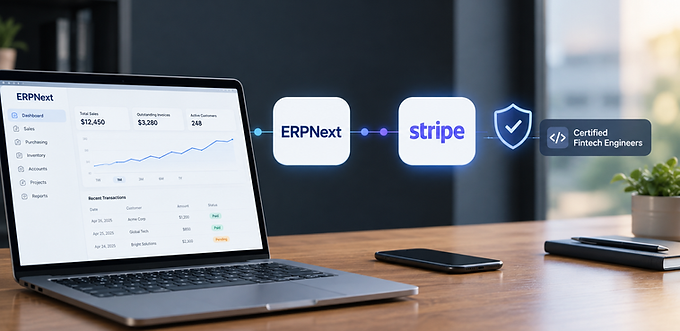
ERPNext Stripe Integration Services
ERPNext Stripe integration connects payment accounting from customer charge through bank deposit with the ERPNext processes your team relies on. FintegrationFS helps US businesses assess existing functionality, define supported data flows, and build the additional controls needed for dependable daily operations.
What Your ERPNext Team Can Improve
A business sells through several channels and records invoices in ERPNext. A single Stripe payout combines payments, refunds, and fees from different days.
Tie each customer payment to the appropriate invoice, retain fee records, and reconcile the payout through the approved clearing-account process.
How the Stripe Connection Works
Review the installed ERPNext and Frappe versions, enabled integrations, custom DocTypes, and company permissions. Use supported documents and approval workflows rather than writing directly to accounting tables.
Map customers, payment references, refunds, disputes, balance activity, processing fees, and payouts to the relevant ERPNext companies, Bank Accounts, Purchase Invoices, Sales Invoices, and Payment Entries. Keep source identifiers alongside destination references so finance can trace a result without relying on names or amounts alone.
Separate customer payment status from settlement and payout status. A net deposit can contain multiple payments and deductions and should not be booked as another sale.
Configuration Before Custom Development
Review existing ERPNext payment gateways, installed applications, and approved bank connections before adding middleware. Define the missing workflow, then agree whether configuration or additional development is required.
Keep submitted documents traceable. If finance must amend a posted record, use the approved cancellation or adjustment workflow and retain the original reference.
Controls to Agree Before Launch
Agree who owns each exception before launch, including the person responsible for contacting a customer or correcting an accounting record.
Test an interrupted synchronization and confirm that processing resumes from the last confirmed checkpoint without losing records or creating duplicates.
Use representative amounts, dates, and account combinations when checking mappings; a successful API response alone does not establish correct business treatment.
Provide a review queue that explains the source record, destination record, failure reason, and next permitted action in ordinary language.
Keep production credentials on the server, redact sensitive logs, restrict access by role, and rotate secrets through an agreed operational process.
Separate development and production access so a test invitation, import, or transaction cannot affect a live customer or accounting balance.
Record the original event and subsequent adjustments instead of deleting history when a provider changes an earlier result.
Define the handover around concrete acceptance criteria, support ownership, monitoring access, and a tested recovery procedure.
Review existing connectors before extending the workflow, because overlapping automation can introduce additional reconciliation work instead of removing it.
Show users when information was last updated and distinguish incomplete processing from a confirmed business outcome.
Budget separately for provider charges, implementation, maintenance, monitoring, and operational support instead of comparing transaction fees alone.
Plan Your Integration With FintegrationFS
FintegrationFS is a fintech product development company. Share your ERPNext configuration, Stripe arrangement, and a sample workflow to define a practical implementation scope.
Frequently Asked Questions
How do I reconcile Stripe payments and fees in ERPNext?
The approach is to review existing functionality, authorize the required access, map Stripe records to supported ERPNext objects, and validate the complete workflow. Final capabilities depend on configuration, permissions, and provider access.
Why does an ERPNext invoice total differ from a Stripe payout?
A payout can combine multiple payments, refunds, fees, and adjustments. Reconcile its underlying activity through the approved clearing process instead of treating the deposit as another sale.
Can the integration reconcile Stripe fees and payouts?
Yes, where supported records and reports are available. The design should explain gross collections, refunds, fees, and adjustments before matching the net payout to bank activity.
Can you improve an existing Stripe and ERPNext integration?
Yes. FintegrationFS can review mappings, duplicate records, synchronization failures, and operational exceptions, then scope changes against representative examples and the current system configuration.
What does ERPNext Stripe integration cost?
Cost depends on supported records, accounts, approval requirements, historical data, and exception handling. Provider charges are separate. Request a scoped estimate covering implementation, testing, monitoring, and handover.