ERPNext Plaid Bank Feed Integration | FintegrationFS
Connect US bank transaction data to ERPNext with Plaid. We assess the built-in connection, build custom sync where needed, and help finance teams manage exceptions.
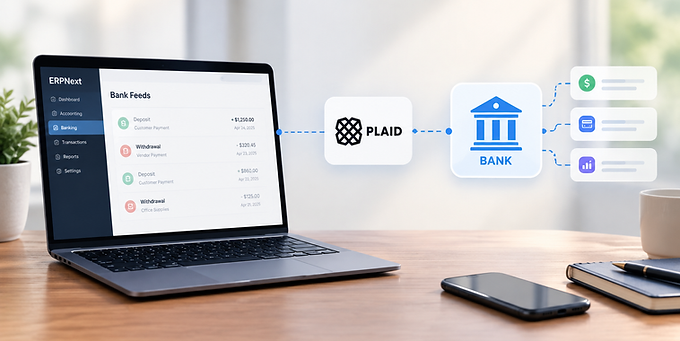
ERPNext Plaid Bank Feed Integration for Automated Transactions
Bring authorized bank transaction data into ERPNext, keep account mappings clear, and give your finance team a dependable way to spot feed errors. We help you assess ERPNext’s existing Plaid option and build a custom bank feed when your workflows need more control.
Discuss Your ERPNext Bank Feed
What is an ERPNext Plaid bank feed integration?
An ERPNext Plaid bank feed integration connects an authorized bank account through Plaid and makes supported transaction data available as Bank Transactions in ERPNext. Your team can then review bank activity against the relevant bank account and accounting records.
ERPNext documents a built-in Plaid connection. For some organizations, its account linking and synchronization options are enough. Others need a tailored feed to handle multiple entities, specific transaction rules, monitoring, or a different user experience. We assess the version and configuration you use before recommending a custom build.
A bank feed brings in bank activity; it does not, by itself, decide how each transaction should be posted or reconciled. If your primary goal is matching bank activity to accounting entries, see our ERPNext Plaid bank reconciliation service. For a broader account-linking architecture, see ERPNext Plaid integration.
Built-in ERPNext Plaid sync or a custom bank feed?
ERPNext’s documented Plaid integration may be the right starting point if your team wants to link supported bank accounts and synchronize transactions into its standard banking workflow. We first review your ERPNext version and deployment to confirm what is available and how it behaves.
A custom feed or targeted extension can help when the standard workflow does not cover your needs. Examples include mapping several companies and bank accounts, showing a dedicated sync-status view, routing failures to a named finance user, applying specialized import rules, or sharing bank activity with another internal system.
The decision depends on your actual accounting process. We establish bank coverage, required transaction history, acceptable update delay, and exception handling before recommending the smallest workable solution.
How the ERPNext Plaid bank feed works
1. Connect and map each account
An authorized user links a supported institution with Plaid Link. We associate each Plaid account with the correct ERPNext Company, Bank Account, and bank ledger. A recognizable bank name alone is not enough: two subsidiaries may use the same institution, and one connection may expose several accounts.
2. Retrieve transaction changes
For a custom ongoing feed, we can use Plaid Transactions and /transactions/sync to retrieve added, modified, and removed records. A stored cursor helps resume from the last completed update. Plaid sends transaction-update notifications when new information is available; a verified webhook can trigger the sync worker.
Transaction information is not continuously real time. Plaid checks for updates periodically, and timing varies by institution. An optional on-demand refresh may be available for a separate fee. The finance view should show the last successful sync and flag an account that needs attention.
3. Create or update ERPNext Bank Transactions
We normalize dates, descriptions, amounts, identifiers, and account mapping before writing eligible records to ERPNext. ERPNext’s Bank Transaction is a bank-activity record that can later be matched to accounting vouchers. Import rules should preserve the source identifier and avoid creating another copy when a job retries.
4. Handle changes and exceptions
A pending card transaction may disappear and return as a new posted transaction. An institution may provide corrected data, or a user may need to reconnect. The feed must account for those events, report failures visibly, and avoid silently posting uncertain items. Finance users should know which bank account is affected, the last update time, and the next action.
What we implement for an ERPNext bank feed
Account mapping: Company, ERPNext Bank Account, currency, and Plaid account identifiers are explicitly linked.
Incremental sync: New and changed transactions are processed without blindly reimporting the full history.
Duplicate controls: Source IDs and repeatable processing protect against retries and overlapping runs.
Connection recovery: Unhealthy Plaid Items are identified, with a path for users to reconnect when appropriate.
Operational visibility: Sync outcomes, failures, and last-update timestamps are available to authorized staff.
Security controls: Access tokens remain on the server, with restricted access and sensitive values removed from logs.
Finance handoff: The team has documented import rules, exception ownership, and a test plan before go-live.
The exact implementation depends on your ERPNext deployment and Plaid products. We validate the supported workflow before promising specific institution coverage or timing.
Where a custom bank feed adds value
A US company may operate several ERPNext entities, each with its own checking account. Finance wants transaction activity in the right company and ledger, an alert if one account stops updating, and a way to distinguish a pending card authorization from a posted charge. A tailored Plaid bank feed can make those rules explicit while leaving reconciliation decisions with the finance team.
This is also where feed design and reconciliation design meet. The feed should deliver clean, traceable bank activity. ERPNext users or a separately configured reconciliation workflow decide how that activity matches Payment Entries, Journal Entries, and other supported vouchers.
Our implementation process
Review the current setup: Confirm ERPNext version, bank accounts, existing Plaid functionality, and the team’s import process.
Define the feed contract: Agree on account mappings, history, update expectations, pending-transaction policy, and exception ownership.
Build and test: Configure or extend the existing integration, or implement a custom sync with security, replay, and monitoring controls.
Launch with finance: Test supported live-institution flows where permitted, verify sample Bank Transactions, and hand over the operational runbook.
FintegrationFS works on Plaid integration projects and financial-system connections. Tell us what your current ERPNext bank feed does well, where it fails, and what your finance team needs to see. We’ll help you choose the appropriate next step.
Discuss Your ERPNext Plaid Bank Feed
ERPNext Plaid bank feed FAQs
Does ERPNext already support Plaid?
ERPNext documents a Plaid bank-account synchronization feature. Its availability and fit for your organization depend on your deployment, version, configuration, and banking requirements. We review that option before proposing custom work.
Are Plaid bank transactions updated in real time?
No continuous real-time update should be assumed. Plaid checks transaction data periodically, with timing varying by institution; webhooks notify an integration when updated data is available. Show the last successful sync so users understand data freshness.
Can the feed support multiple bank accounts and companies?
Yes, if each source account is mapped to the right ERPNext Bank Account and Company, with permissions and tests covering every entity. The actual supported institutions and account types should be validated for your setup.
How do you prevent duplicate or missing transactions?
We preserve source identifiers, store sync progress safely, make retries repeatable, and process added, modified, and removed transaction data. Pending-to-posted changes need special care because they may appear as a removal and a new posted record.
Does importing bank transactions reconcile them automatically?
No. Importing creates the bank activity to review. ERPNext reconciliation matches that activity against eligible accounting entries; the matching rules and approval process must be configured separately.