ERPNext AP Automation with Dwolla
Automate accounts payable in ERPNext with Dwolla — approval flows, payment execution, remittance sync, and reconciliation.
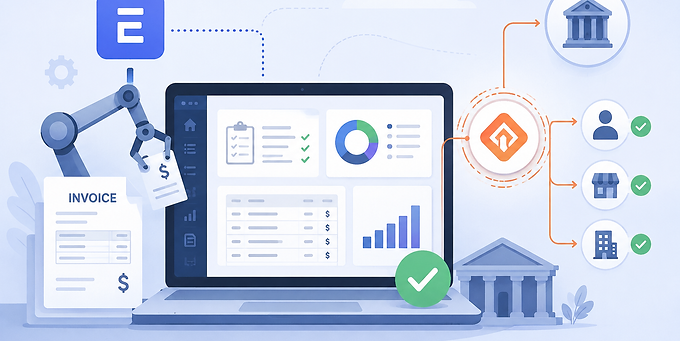
ERPNext Dwolla Integration for AP Automation: A US Implementation Guide
A reliable ERPNext AP automation with Dwolla is not simply a connector that moves records between two systems. It is a controlled financial workflow that explains where data came from, when it changed, what the system did, and which items still need human review. For US finance teams, that distinction matters because bank data and payment statuses can arrive late, change after initial processing, or fail for reasons outside the ERP.
FintegrationFS can design the integration so ERPNext remains the operational accounting context while Dwolla provides the approved connectivity or payment capability. The objective is to enforce approval gates, create payment requests, synchronize remittance details, and manage exceptions. Every material step should be observable, repeatable, and supported by a clear audit trail.
Review Your ERPNext AP Automation Plan
What Is Erpnext Ap Automation With Dwolla?
Erpnext Ap Automation With Dwolla is a software connection designed to move approved ERPNext payables into a controlled payment workflow and return the outcome to finance. It typically combines API calls, secure credential handling, data mapping, webhook or scheduled processing, validation rules, operational screens, and reconciliation logic. The provider response is not copied blindly into the ERP; it is translated into an internal model and validated against the correct company, account, currency, and business record.
The integration should expose honest status language. “Received,” “submitted,” “pending,” “processed,” “posted,” “settled,” “failed,” and “returned” are not interchangeable. Finance users should see the provider status, the ERP status, the last update time, and the next expected action without reading raw API logs.
How the ERPNext and Dwolla Workflow Operates
An authorized administrator configures the relevant ERPNext company, accounts, permissions, and Dwolla connection.
The integration validates required identifiers and stores only the credentials or tokens that the approved architecture requires.
A scheduled job, user action, or verified Dwolla event starts processing.
Incoming data is normalized and mapped to the correct ERPNext entity rather than matched by display name alone.
Idempotency and duplicate controls check whether the event or instruction has already been processed.
Valid high-confidence records continue; incomplete, conflicting, or risky cases enter an exception queue.
The result, source identifiers, timestamps, rule version, and user actions are written to an audit history.
Reconciliation confirms that the ERP record, provider activity, and bank outcome agree.
Controls Built Into the Integration
Clear ownership and legal-entity mapping
Every external account or payment connection should map to a specific ERPNext company, bank or cash account, currency, and environment. The design should prevent one subsidiary from viewing or posting another entity’s data. User access must follow job responsibilities, and production credentials should never be reused in test environments.
Reliable event and sync processing
Dwolla activity can be asynchronous. A safe implementation verifies event authenticity where supported, acknowledges events promptly, processes work through a durable queue, tolerates duplicate or out-of-order delivery, and retries only operations known to be safe. A failed job must be visible to operations instead of disappearing into a server log.
Reconciliation before certainty
A provider record proves that the provider observed or attempted an action; it does not automatically prove the accounting result. The workflow should compare external identifiers, amounts, currency, dates, references, and lifecycle status with the corresponding ERP record. Differences should remain open until a reviewer resolves them.
Security, privacy, and audit evidence
Baseline controls include encryption in transit and at rest, least-privilege access, secrets management, environment isolation, credential rotation, sensitive-data minimization, masked operational views, immutable logs, monitoring, alerting, backups, and tested recovery procedures. Logs should help investigators without exposing full bank details or reusable credentials.
What FintegrationFS Would Validate Before Building Erpnext Ap Automation With Dwolla
Exact US institutions, account types, payment directions, and provider products in scope
The source of truth for companies, vendors, customers, invoices, payments, and chart-of-account mappings in ERPNext
User roles, approval thresholds, segregation of duties, and exception owners
Historical-data needs, update frequency, expected volume, and acceptable processing delay
Duplicate rules, correction handling, returns, reversals, partial activity, fees, and date tolerances
Sandbox limitations, production onboarding, credentials, operational contacts, and go-live requirements
Retention, audit, privacy, incident response, business continuity, and support expectations
This discovery work prevents a polished demo from becoming an unreliable production process. It also creates testable acceptance criteria: which records must synchronize, what counts as a match, when finance is notified, and how the team proves that no activity was silently lost.
Testing and Production Readiness
Testing should cover successful flows and difficult ones: expired authorization, permission changes, duplicate events, delayed updates, timeouts, rate limits, incorrect mappings, returns, reversals, and provider maintenance. Before launch, complete user acceptance testing, access review, runbook validation, alert tests, support ownership, and a controlled cutover. Sandbox results do not prove that every live institution or account type will behave identically.
Compliance and Accuracy Note
FintegrationFS provides software engineering and integration services, not legal, tax, accounting, audit, banking, or compliance advice. Provider access, bank coverage, payment capabilities, security obligations, and regulatory requirements depend on the customer’s contracts, use case, flow of funds, and current rules. Claims such as “NACHA compliant,” “audit-ready,” or “real time” should be used only after the responsible business, banking, legal, and audit stakeholders confirm the supporting controls and evidence.
Review Your ERPNext AP Automation Plan
Frequently Asked Questions About Erpnext Ap Automation With Dwolla
1. What does ERPNext AP automation with Dwolla automate?
It takes an approved payable from ERPNext, creates a controlled payment instruction through Dwolla, follows the payment lifecycle, synchronizes remittance information, and reconciles the outcome with accounting records.
2. Does AP automation remove human approval?
No. A trustworthy design preserves role-based approvals and can enforce maker-checker separation, thresholds, restricted changes, and escalation rules. Automation should remove repetitive handling, not accountability.
3. How are duplicate vendor payments prevented?
The integration should use stable bill and payment identifiers, idempotency keys, duplicate checks, immutable request records, and state-based controls that prevent the same approved payable from being released twice.
4. What happens when a payment fails or is returned?
The payment remains linked to the original payable, the failure or return is recorded, the accounting treatment is reviewed, and the item enters an exception workflow. Retries should require a defined rule or fresh approval.
5. Can the workflow support multiple companies and bank accounts?
Yes, if each ERPNext company, vendor, bank account, currency, approval policy, and provider connection is explicitly mapped. Tenant and legal-entity separation should be tested before production.