Building Payroll Applications using Plaid: Ultimate Guide for FinTech Startups

Updated: Oct 7
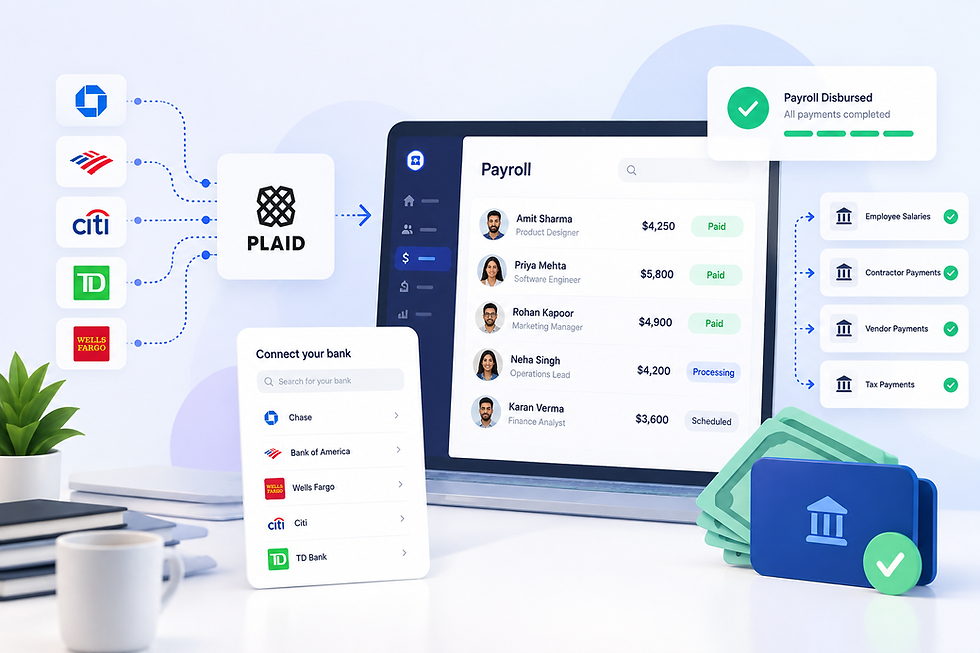
Quick answer: Plaid payroll integration connects bank accounts to payroll software and helps verify account details. Plaid Auth supplies banking information; a payment provider or an approved Plaid Transfer implementation handles money movement. Your payroll application still needs wage calculations, tax workflows, employer funding controls, and payment reconciliation. |
Payday is a promise. Employees expect their salary to reach the right account on time, while employers need confidence that each payroll run is accurate and funded.
For US fintech startups, bank connectivity is one part of delivering that promise. Plaid can simplify account setup, support ownership checks, and connect your application to payment workflows. However, a successful product requires more than a bank-linking screen.
1. What Is Plaid Payroll Integration?
Plaid payroll integration is the use of Plaid APIs within payroll software to connect employee or employer bank accounts and support verification and payment preparation.
For example, an employee connects a checking account during onboarding. Your application associates that selected account with their employee record, checks its verification status, and creates a payment destination with your chosen provider.
The distinction matters: Plaid Auth retrieves banking details for use with a payments service. Auth itself does not process payroll payments.
A complete platform also requires employee records, approved earnings, deductions, tax calculations, pay statements, and reporting. Treat Plaid as the banking connectivity layer within that larger system.
2. Why Use Plaid Integration for Payroll Apps?
Typing routing and account numbers creates opportunities for mistakes. A guided linking experience can reduce manual entry and give employees clearer feedback about their account setup.
Plaid integration for payroll apps can support three practical goals:
Simpler onboarding: Employees select a bank and connect an eligible account through Plaid Link.
Better account checks: Verification and ownership information can inform your approval workflow.
More manageable operations: Bank connections and payment destinations can be tracked alongside payroll records.
3. Plaid Products for Payroll App Development
Start with the smallest product set that supports your workflow. Additional financial data should serve a defined purpose and have appropriate user consent.
Product | Potential payroll role | Important boundary |
Plaid Link | Employee or employer account connection | Linking alone does not confirm payment readiness |
Plaid Auth | Retrieve account and routing information | Does not calculate wages or move money |
Plaid Identity / Identity Match | Compare account ownership information with employee details | Coverage varies; ownership matching is not complete KYC |
Balance / Signal | Funding visibility or ACH debit risk assessment, where supported | A balance check does not reserve funds |
Plaid Transfer | Money movement for approved US use cases | Requires approval and a supported flow of funds |
Plaid Transactions | Consented transaction visibility for a defined reconciliation feature | Not necessary for basic direct-deposit setup |
Plaid Assets, Plaid Statements, and Plaid Liabilities should not become default requirements for employee onboarding. Consider them only for separate, justified features that need those data products.
4. How to Integrate Plaid With Payroll Software
Create a Secure Plaid Link Session
Your backend calls /link/token/create with the appropriate products, country settings, and an internal user identifier. The frontend launches Plaid Link using the returned token.
Tie every linking session to an authenticated employee or authorized employer administrator. Avoid letting browser-supplied identifiers determine which payroll record receives the connection.
Exchange Tokens and Bind the Selected Account
After a successful Link session, send the public_token to your backend and exchange it through /item/public_token/exchange.
Store the resulting access token securely on the server. Associate the selected account_id with the correct employee and employer. Never select the first returned account automatically: a user may have linked several accounts.
Use Plaid Auth for Payroll Applications
Depending on your payment architecture, retrieve banking information through /auth/get or create a supported processor-specific token.
Validate the selected account and verification status before enabling it for payouts. Keep unnecessary bank details out of frontend responses, logs, and support dashboards.
Apply Employee Bank Account Verification With Plaid
Where supported, use /identity/get or /identity/match to compare bank ownership information with employee records.
Plaid Identity provides bank-held ownership data. Plaid Identity Verification is a separate product for verifying a person's identity. Neither should be described as an automatic guarantee of regulatory compliance.
Send ambiguous matches for review. Joint accounts, name changes, and incomplete institution data need a practical exception process.
5. Choosing a Plaid Payroll Integration Payment Architecture
Plaid Auth With an External Payment Provider
In this approach, Plaid supports account connection and verification while a payment provider handles employer funding and employee disbursements.
Confirm that the provider supports your actual business model: multiple employers, payroll ACH credits, required funding arrangements, and returns handling. Generic ACH payment support does not establish that payroll payouts are supported.
Review the wider financial integration options before committing to an architecture.
Plaid Transfer for an Approved Use Case
Plaid Transfer supports US money movement, but production access requires approval. Confirm your payroll flow, platform structure, and funding arrangements with Plaid before treating Transfer as your payout solution.
Do not assume that basic Transfer approval covers every employer-to-employee model. Transfer for Platforms has its own onboarding and integration considerations.
6. Building Reliable Payroll Funding and Reconciliation
A payroll run is a batch of individual obligations. Give each employee payment its own identifier, provider reference, amount, destination, and status history.
Recommended engineering controls include approval permissions, destination-change reviews, idempotent payment creation, and authenticated webhook processing. Deduplicate events and reconcile provider records with your internal ledger.
Keep funding separate from disbursement. An employer debit being initiated does not mean funds are available for employee payouts. A balance snapshot also cannot guarantee future payment success.
Show meaningful statuses such as awaiting funding, submitted, returned, and action required. Do not mark the entire payroll batch paid because an API accepted the first request.
7. Security and Compliance for Plaid Payroll Integration
Payroll software handles sensitive personal and financial information. Design access controls around employee, employer, and support roles, with strict separation between employer accounts.
Encrypt sensitive data, protect credentials in a secrets manager, and retain audit records for approvals and payout-destination changes. Request only data necessary for the service you provide.
Agree responsibilities with your payment provider and bank partners for ACH authorization, entry formatting, fraud monitoring, record retention, and returns. Review the current Nacha rules for your launch date and payment model.
Separately, assign responsibility for tax withholding, filings, wage statements, and applicable employment requirements. Account ownership checks do not replace those payroll obligations.
8. Testing Payroll App Development Using Plaid
Test the complete workflow, including failures employees and payroll administrators will actually encounter.
Cover interrupted linking, unsupported banks, pending verification, revoked access, duplicate submissions, insufficient employer funding, and returned payments. Also test a destination change after payroll approval.
If using Transfer, its Sandbox testing tools support payment-state simulations. Otherwise, combine Plaid Sandbox with your processor's test environment.
9. Plaid Payroll Integration Costs and MVP Planning
Budget for bank connectivity, ownership checks, payment processing, payroll calculations, infrastructure, and ongoing operations. Avoid estimating the whole product from the cost of a Link integration.
Use the Plaid pricing calculator and Plaid pricing overview as planning resources; validate commercial assumptions against your actual agreement.
A focused MVP could support one employee payout account, one pay schedule, employer approval, and a clear exception dashboard. Add split deposits and advanced funding features after the core workflow is stable.
For alternative connectivity evaluation, review MX API integration against your institution coverage and processor requirements.
10. Plaid Payroll Integration: A Citation-Ready Explanation
What does Plaid do in a payroll application? Plaid connects bank accounts and provides data used for account verification. Payment execution requires a compatible payment provider or an approved Plaid Transfer use case. Payroll calculations, withholding, filings, and employee pay statements remain separate application or service responsibilities.
What should a startup build first? Start with account connection, verification status, funding controls, approved payment submission, and reconciliation. These form the operational foundation for reliable direct deposit.
Build Your Plaid Payroll Integration With FintegrationFS
Need help turning the banking workflow into a working payroll product? Discuss your account verification, payment-provider integration, and reconciliation requirements with FintegrationFS.
Explore Plaid API integration services, the Plaid partnership page and Plaid integration articles, then define a focused scope for your first release.
Frequently Asked Questions About Plaid Payroll Integration
1. Can Plaid run payroll by itself?
No. Plaid supplies banking connectivity and, for approved Transfer use cases, money movement. You still need payroll calculations, tax workflows, employee records, and operational controls.
2. Is Plaid bank account verification for payroll instant?
It can be, depending on the institution and verification method. Some flows require additional steps or micro-deposits. Show pending status clearly and allow enough time before payday.
3. Does every employee need Plaid Identity Verification?
Bank ownership matching and personal identity verification serve different purposes. Define the necessary checks before adding friction to onboarding.
4. Can I use Plaid Auth with my existing payroll provider?
Potentially. Confirm that the provider accepts your chosen account-data or token flow and supports the intended payroll payments. Integration compatibility should be validated early.
5. How long does a Plaid payroll integration take?
There is no universal timeline. Account linking is only one component. Payment approval, funding logic, tax integrations, testing, and exception handling determine the complete delivery scope.


